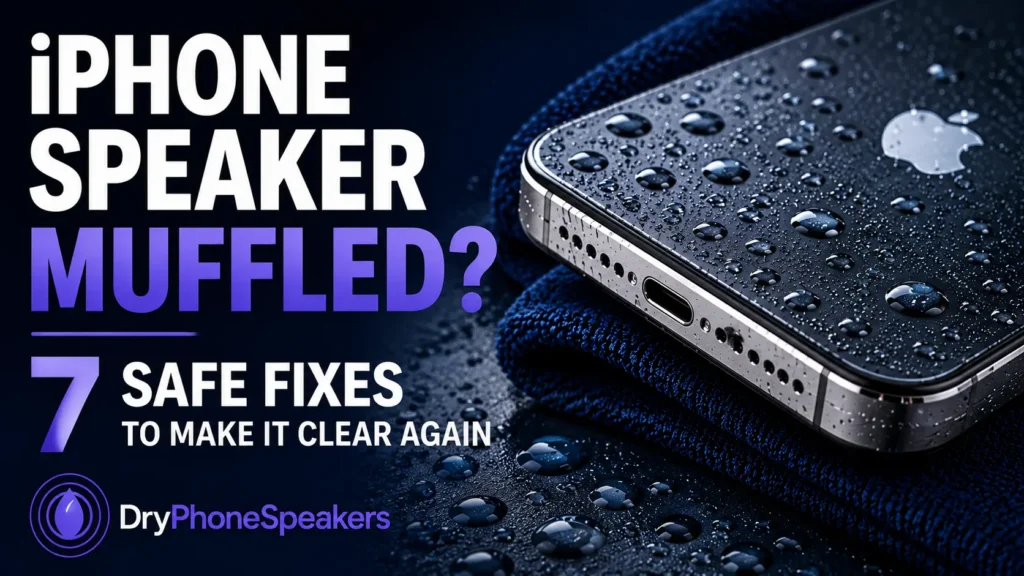
Fixing an iPhone speaker that sounds muffled or distorted can be frustrating—especially when it happens suddenly after water exposure, dust, or everyday use. If your iPhone speaker sounds quiet, crackly, fuzzy, or just “off,” you’re not alone. This guide explains why it happens and how to fix iPhone speaker sound safely, step by step.Many users assume a broken speaker means an expensive repair. In reality, the most common causes are trapped moisture, debris in the speaker grille, or temporary blockage—all of which can often be fixed at home.
Why Does My iPhone Speaker Sound Muffled or Weird?
iPhone speakers sit behind a fine mesh designed to keep dust and debris out. When water, sweat, pocket lint, or dirt gets trapped behind that mesh, sound vibrations are blocked. This causes:
- Quiet or muffled sound
- Crackling or buzzing noises
- Distorted audio during calls or music
Even water-resistant iPhones (IP67 or IP68) are
not waterproof. Small amounts of moisture can still get trapped in the speaker chamber and affect sound quality.
How to Fix an iPhone Speaker That Sounds Muffled
Follow these steps in order. They’re safe, simple, and designed to avoid further damage.
- Check the volume—avoid 100 %.
Use the side buttons to reach roughly 70–80 % of full volume, make sure Silent Mode is off, and confirm audio isn’t routing to Bluetooth headphones.
- Remove surface moisture.
Pat the iPhone dry with a soft, lint-free cloth. Do not shake it—shaking pushes water deeper into the speaker.
- Let your iPhone air-dry.
Place it on a dry towel in a ventilated room for several hours. Avoid heat sources such as hairdryers, ovens, or direct sunlight.
- Clear trapped water using sound.
After air-drying, low-frequency sound vibration (played at a safe volume) can help eject lingering droplets.
You can safely try this method using
DryPhoneSpeakers.com, which plays specially designed tones to help push water out of the speaker chamber. After drying, use the
Speaker Test to check whether the audio sounds clear again.
Tip: Hold or prop the iPhone so the speaker faces downward while the tone plays. Start around 60 % volume and increase only if necessary—avoid pressing the speaker flat against a table.
What NOT to Do (Common iPhone Speaker Myths)
- Don’t use rice. Rice absorbs moisture slowly and leaves starchy dust that can clog speaker holes.
- Don’t use heat. Hairdryers and heaters can damage internal components.
- Don’t use compressed air. It often forces moisture deeper inside.
- Don’t charge a wet iPhone. This can cause short circuits.
When an iPhone Speaker Needs Professional Repair
If your iPhone speaker still sounds bad after drying and clearing trapped moisture, the issue may be more serious. Seek professional help if you notice:
- No sound at all
- Overheating or charging issues
- Persistent crackling after several days
- Problems with the microphone or camera
These symptoms can indicate internal corrosion or hardware damage.
Related Guides
Frequently Asked Questions (iPhone Speaker)
Why does my iPhone speaker sound muffled after water?
Water gets trapped behind the speaker mesh, blocking vibration. Even small droplets can significantly reduce sound quality.
Can sound really fix an iPhone speaker?
Yes. Low-frequency sound can vibrate the speaker membrane strongly enough to push trapped water outward, similar to methods used in wearable devices.
Is it safe to play loud sounds on a wet iPhone?
Only after surface moisture is removed and the phone has air-dried. Keep playback below full volume and stop if the sound becomes harsh or distorted.
How long does it take for an iPhone speaker to dry?
Most phones need 24–48 hours to fully dry internally, depending on exposure and airflow.{
“@context”: “https://schema.org”,
“@type”: “FAQPage”,
“mainEntity”: [
{
“@type”: “Question”,
“name”: “Why does my iPhone speaker sound muffled after water?”,
“acceptedAnswer”: {
“@type”: “Answer”,
“text”: “Water can get trapped behind the speaker mesh and block sound vibrations, causing muffled or distorted audio.”
}
},
{
“@type”: “Question”,
“name”: “How do I fix an iPhone speaker that sounds muffled?”,
“acceptedAnswer”: {
“@type”: “Answer”,
“text”: “Check volume (≈70–80 %), remove surface moisture, air-dry the phone for 24–48 hours, and use low-frequency sound to help eject trapped water.”
}
},
{
“@type”: “Question”,
“name”: “Does rice fix iPhone speaker water damage?”,
“acceptedAnswer”: {
“@type”: “Answer”,
“text”: “No. Rice absorbs moisture slowly and can leave dust that clogs speaker holes and charging ports.”
}
},
{
“@type”: “Question”,
“name”: “Is it safe to charge my iPhone after it gets wet?”,
“acceptedAnswer”: {
“@type”: “Answer”,
“text”: “No. Charging a wet iPhone can cause electrical damage. Wait until the device is completely dry.”
}
}
]
}
About the Author
Hunter Phy is the founder of DryPhoneSpeakers and creates free tools and guides that help people diagnose and fix common phone audio problems.