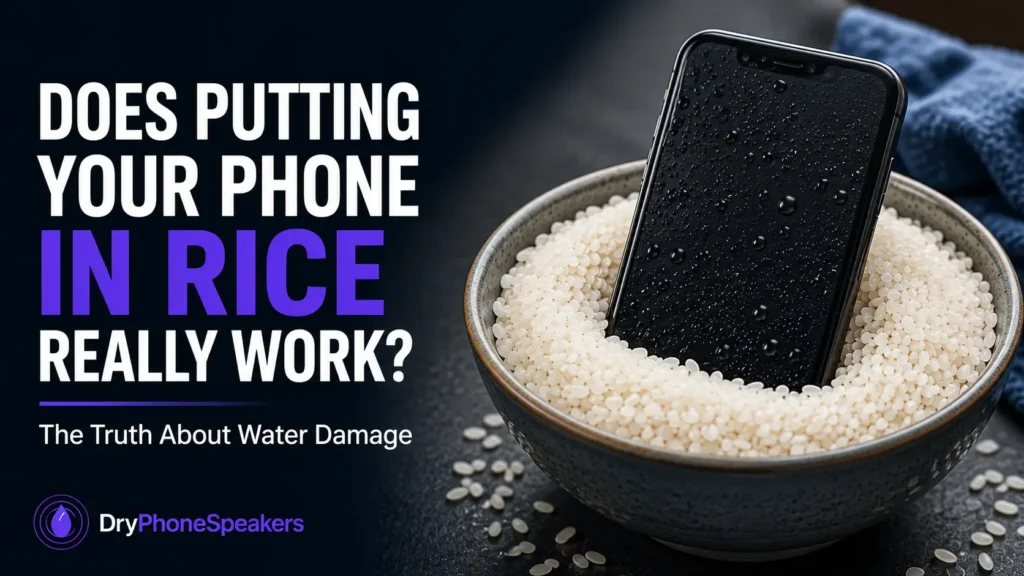
Does Putting Your Phone in Rice Really Work?
You drop your phone near the sink, in the rain, or beside a spilled drink. The screen still turns on, but now the speaker sounds muffled, the charging port gives a warning, or calls sound strange. The first advice many people hear is simple: put the phone in rice.
I understand why people try it. Rice is easy to find, it feels like a quick rescue step, and the idea has been repeated for years. But rice is not the best way to fix a wet phone. In some cases, it can even make the situation worse by leaving dust, starch, or small particles around the speaker grille, charging port, and microphone openings.
I have seen phones that sat in a bag of rice overnight but still had muffled speakers because the real problem was trapped moisture behind the speaker mesh. Rice may dry the outside air around the phone, but it does not pull water out of tiny openings as well as people hope.
Quick Answer
No—rice does not reliably get water out of a phone. It may absorb a small amount of moisture around the device, but it does not effectively remove trapped water from speakers, microphones, charging ports, or internal parts. A safer approach is to power the phone off if it was heavily wet, wipe it dry, keep openings facing downward, use silica gel packets if available, avoid charging, and allow proper drying time.
If only the speaker sounds muffled after light water exposure, a water eject sound may help move trapped moisture from the speaker area. You can try the Water Eject Tool and then check the result with the Speaker Test.
Why Did the Rice Trick Become So Popular?
The rice trick became popular because rice can absorb moisture in normal kitchen use. People connected that idea with wet electronics and assumed rice could save a phone.
The problem is that a phone is not an open bowl of water. It has tiny speaker holes, microphone openings, rubber seals, adhesive, charging contacts, and internal parts packed tightly together. Moisture can hide in places rice cannot reach.
Rice also works slowly. If water is sitting near the speaker mesh or charging port, the phone needs airflow, gravity, time, and safe drying. Burying the phone in rice can block airflow instead of improving it.
What Actually Happens When a Phone Gets Wet?
Water damage is not always instant. A phone can look normal at first and still develop problems later.
Common water-related problems include:
- Muffled speaker sound
- Crackling or distorted audio
- Low speaker volume
- Microphone sounding quiet on calls
- Charging port warning
- Touchscreen issues
- Random restarts
- Battery or charging problems
Many people assume the speaker is permanently damaged when the real problem is trapped moisture. A phone speaker can sound very bad when even a small droplet sits near the speaker opening.
Other liquids are more serious. Fresh water is usually easier to recover from than saltwater, soda, coffee, or juice. Sugary drinks can leave sticky residue. Saltwater can speed up corrosion. Pool water can leave minerals or chemicals behind.
Why Rice Is Not a Reliable Phone Fix
Rice does not reach trapped water well
Rice may absorb moisture from the air, but it does not actively pull water out of the speaker grille, microphone holes, or charging port. If water is sitting behind a tiny mesh, rice outside the phone cannot easily reach it.
Rice can leave dust and particles
Rice is not clean like a repair tool. It can leave powder, dust, and small particles. Those particles can get near the charging port, speaker mesh, and microphone openings.
One common mistake is shaking the phone inside a bag of rice. That may feel like it helps, but it can move rice dust into places you do not want it.
Rice may delay better action
The biggest risk is wasted time. If your phone got seriously wet, the first few hours matter. Leaving it in rice may delay proper drying, inspection, or repair.
If the phone was exposed to saltwater or a sugary drink, waiting too long can make residue and corrosion worse.
What to Do Instead of Putting Your Phone in Rice
Use this safer process first.
- Remove the phone from water immediately.
- Turn it off if it was heavily wet or submerged.
- Remove the case and accessories.
- Wipe the outside with a clean dry cloth.
- Hold the speaker and charging port facing downward.
- Do not plug it in.
- Let it air-dry in a clean, dry place.
- Use silica gel packets if you have them.
- Test the speaker after drying time.
If the speaker is the only issue and the phone was exposed to light rain or a small splash, you can try a short water eject cycle. Hold the speaker facing down while using the tool. After that, wait a few minutes and test the sound again.
Start with a safe volume. I usually recommend around 70–80%, not maximum volume. If the speaker starts sounding harsh, stop and give it more drying time.
Rice vs Silica Gel: Which Is Better?
Silica gel packets are usually better than rice because they are made to absorb moisture and do not create the same dusty mess. You often find them in shoe boxes, electronics packaging, camera bags, and medicine bottles.
If you have silica gel packets, place the phone in a sealed container with the packets. Do not cover the phone in loose powder or anything that can enter the ports.
If you do not have silica gel, air-drying is still better than burying the phone in rice. A clean, dry room with good airflow is safer than a dusty bag of rice.
Does Rice Help a Wet Phone Speaker?
Rice is especially weak for speaker problems. A wet phone speaker often sounds muffled because moisture is sitting close to the speaker grille. Rice outside the phone does not vibrate the speaker mesh or move droplets away from the opening.
For a muffled phone speaker after water exposure, try this:
- Remove the case.
- Wipe the speaker area gently.
- Hold the speaker facing down.
- Run a short cycle with the Water Eject Tool.
- Wait 3–5 minutes.
- Use the Speaker Test to check volume and clarity.
I have seen phones improve after one short cycle, but I have also seen phones need several hours of drying before the speaker sounded normal again. Do not force it by playing loud audio for a long time.
What Not to Do After Your Phone Gets Wet
Some quick fixes can cause more damage than the water itself.
- Do not put your phone in rice.
- Do not use a hair dryer or heater.
- Do not charge the phone while wet.
- Do not stick pins or toothpicks into the speaker grille.
- Do not blow compressed air into the ports.
- Do not shake the phone aggressively.
- Do not keep testing the speaker at full volume.
Heat is especially risky. It can affect seals, adhesive, battery parts, and the screen. Strong air pressure can push moisture deeper instead of removing it.
How Long Should You Let a Wet Phone Dry?
Drying time depends on how wet the phone got and what liquid touched it.
- Light rain or small splash: several hours may be enough.
- Muffled speaker only: try a water eject cycle, then allow more drying time.
- Wet charging port: wait until the phone is fully dry before charging.
- Submerged phone: allow 24–72 hours and consider repair inspection.
- Saltwater, soda, coffee, or juice: professional cleaning may be needed.
A phone can feel dry on the outside while moisture remains in openings. That is why charging too soon is one of the biggest mistakes.
When Professional Repair May Be Needed
Some water problems cannot be fixed with drying, rice, or sound vibration.
Consider professional service if:
- The phone was submerged for more than a few seconds.
- The phone touched saltwater, soda, juice, or coffee.
- The speaker still crackles after drying.
- The microphone does not work on calls.
- The charging port keeps showing moisture warnings. On Samsung phones, see the Samsung Moisture Detected Warning guide.
- The screen flickers or the phone restarts.
- The phone gets hot while charging.
If people cannot hear you clearly after water exposure, test your microphone with the Microphone Test. Sometimes the speaker sounds fine, but the microphone opening is blocked by moisture or debris.
Better Prevention for Next Time
You cannot prevent every accident, but you can reduce risk.
- Keep your phone away from sinks, tubs, and pools.
- Use a protective case if you work near water.
- Do not charge your phone in a humid bathroom.
- Wipe the phone after rain or workouts.
- Keep speaker and microphone openings clean.
- Back up your phone regularly.
Water resistance is not the same as waterproof. Phone seals can weaken over time from drops, heat, age, and repairs. Even water-resistant phones can have speaker problems after moisture exposure.
Final Thoughts
Putting your phone in rice is popular, but it is not the safest or most effective way to fix water damage. Rice does not reliably pull moisture from small openings, and it can leave dust near ports and speaker grilles.
If your phone gets wet, focus on safe drying: power down if needed, remove the case, wipe it dry, keep openings facing down, avoid charging, and give it time. If the speaker sounds muffled after light water exposure, use a water eject sound carefully and test the speaker afterward.