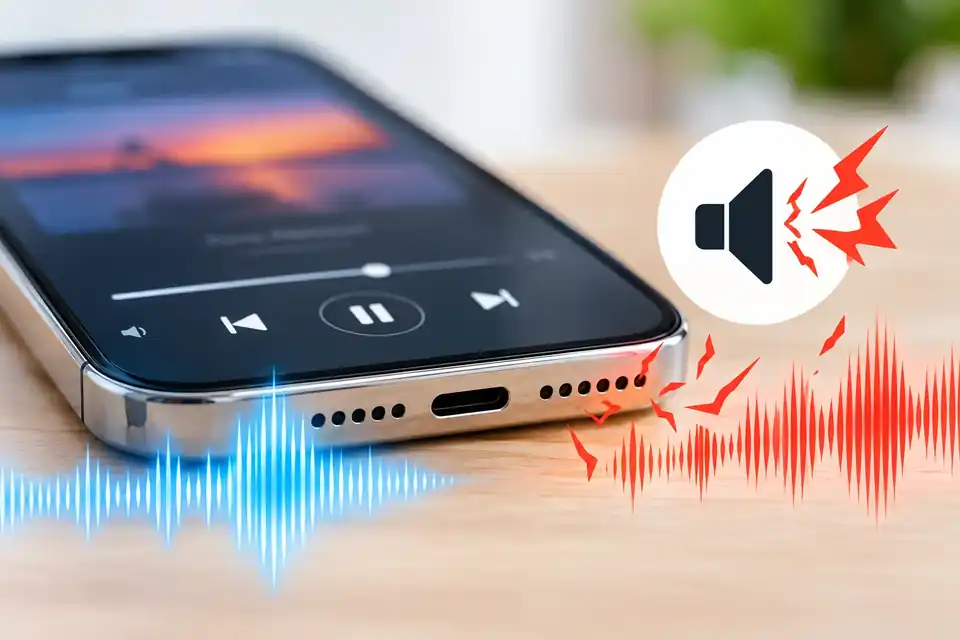
A song sounds normal until you turn the volume up. Then a voice gets fuzzy, bass starts rattling, or a sharp crackle comes from the phone. It’s tempting to assume the speaker is blown, but volume-related distortion doesn’t always mean the hardware is damaged.
The useful question is when the crackle happens. Does it appear only with one recording? Only above a certain volume? Only from the phone speaker, or through headphones too? Those comparisons tell you more than playing one loud test tone over and over.
Here’s a simple way to narrow it down on iPhone or Android without opening the phone or risking extra damage.
First, know when not to test
If the phone is unusually hot, swelling, visibly damaged, restarting unexpectedly, or showing a moisture warning, stop audio testing and follow the manufacturer’s safety instructions. If the device was recently wet, don’t charge it or repeatedly play sounds as a substitute for proper drying. A browser-based speaker test cannot establish whether the inside of a phone is dry.
For an otherwise normal, dry phone, use comfortable, moderate volume for the checks below. You don’t need maximum volume to learn something useful.
The five-minute speaker comparison
Choose a short voice recording or familiar song with clear speech and some music. Keep that same audio clip for the first comparison so the material doesn’t change halfway through.
1. Find out whether loudness triggers it
Start around a quarter of the volume range. Listen briefly, then move to about half volume. If the audio still sounds clean and comfortable, you can try a little higher—but stop as soon as you hear distortion. Don’t hold the phone against your ear or increase the volume to “push through” a crackle.
What this tells you: if the problem appears only at higher levels, the speaker might be struggling with that material, an audio effect may be overemphasizing bass, or the recording itself may already be distorted. The volume at which you notice it is not a reliable hardware-damage score.
2. Try two different sound sources
Play a different song or video from another app, preferably one that is already downloaded or reliably buffered. Compare a spoken voice, a music passage, and a normal notification or ringtone if available.
If only one track crackles, suspect the recording, the streaming connection, or that app’s sound processing before blaming the phone. If nearly everything crackles at the same comfortable volume, keep investigating the output path.
3. Compare the built-in speaker with headphones
Disconnect Bluetooth temporarily so you know sound is actually coming from the phone. Listen to the same short clip through the built-in speaker, then through a known-good pair of headphones or earbuds at a safe level.
If the phone speaker crackles but headphones sound clean, the problem may be limited to the built-in speaker, its opening, or speaker-specific sound processing. If both outputs crackle, the track, app, equalizer, or operating-system audio processing becomes more plausible. Neither comparison is a definitive hardware diagnosis.
If the audio unexpectedly moves to a car, earbuds, or smart speaker, first check the selected media output. A routing problem can look like weak or missing audio rather than true distortion.
4. Turn off sound effects for one comparison
If you use an equalizer, bass boost, sound enhancer, or third-party audio app, temporarily switch it to a neutral setting. On supported Pixel models, Adaptive Sound is another setting worth comparing on and off. Menu names depend on the phone and software version.
Now play the same passage at the same moderate volume. If the crackle disappears, you’ve learned that processing or unusually heavy bass was part of the problem. You can restore your preferred settings one at a time and note which one brings it back.
Don’t assume that an equalizer setting is faulty just because one bass-heavy track distorts; small phone speakers have physical limits.
5. Check the opening, then restart
Remove the case and look for a film, protective cover, or dirt blocking the speaker grille. On a dry phone, gently clean the accessible outer opening using a clean, dry, soft-bristled brush as recommended for your device. Keep sharp objects, liquids, cotton pushed into holes, and compressed air away from the opening.
Restart the phone and replay the same clip. If the issue appeared just after an operating-system or app update, check for a newer official update—but don’t factory-reset a phone as your first troubleshooting step.
What the results mean
Instead of treating every crackle as a broken speaker, use the pattern:
- Only one song or app sounds bad: compare another recording, download quality, and app audio settings.
- Only at higher volume or with strong bass: lower the level, compare neutral EQ, and avoid repeatedly stressing the speaker.
- Only the built-in speaker sounds bad: inspect the case and grille; use a manufacturer diagnostic or arrange service if the problem persists.
- Speaker and headphones both sound bad: investigate the audio source, software processing, and system updates before considering speaker replacement.
- Only calls crackle: test a regular call in another location, then compare speakerphone and the earpiece. Network quality and call routing can cause distortion that music playback doesn’t reveal.
- A brief pop happens when switching apps: record when it occurs and check for software updates. This behavior doesn’t automatically prove the speaker is physically damaged.
A single browser test can help you hear a symptom, but it cannot identify a particular damaged component.
Where our Speaker Test fits
You can use the free DryPhoneSpeakers Speaker Test for one additional comparison. Begin at a comfortable level. Listen for unexpected buzzing or rattling, and stop if a tone is uncomfortable or distorted. Compare the result with speech and music from a separate app.
Don’t use maximum-volume tones or long repeated sweeps to try to force a speaker to clear itself. A web tool cannot measure speaker condition to laboratory standards, diagnose a loose internal part, or tell whether a phone is safe after liquid exposure.
If your main symptom is low volume rather than crackling, start with Why Is My Phone Volume So Low?. If only callers sound muffled while music is clear, read Calls Muffled but Music Clear?. That distinction helps you avoid doing the same checks twice.
iPhone and Android: a few differences worth knowing
On iPhone: Apple recommends removing a case or film, inspecting the speaker and top receiver openings, gently cleaning a dirty opening with a clean, dry, soft-bristled brush, and comparing calls using speakerphone. If distortion continues, service may be needed. The top receiver used for calls and the louder media-speaker path aren’t always the same, so note where the noise comes from.
On Samsung Galaxy: disconnect external audio devices, remove obstructing cases or covers, restart, and use Samsung Members diagnostics if available. Samsung also notes that some models can sound abnormal after changes in ambient pressure; follow model-specific guidance instead of trying invasive fixes.
On Google Pixel: Google recommends varying the volume, testing several songs or videos, checking Bluetooth, restarting, and looking for blocked speaker openings. When only one audio file sounds bad, Google advises considering that file rather than assuming every speaker is faulty.
Settings and test availability vary by model. Don’t follow a model-specific menu or hardware procedure unless it matches your phone.
When it is time for professional help
A repair assessment makes more sense if the same dry, undamaged-in-appearance phone continues to crackle at moderate volume across several apps after removing the case, comparing headphones, checking settings, and restarting. It is also sensible after a drop, visible physical damage, persistent moisture-related symptoms, or sudden complete speaker failure.
Before visiting a repair shop, save four details: your phone model, when the issue started, which apps reproduce it, and whether headphones sound normal. A 10-second description such as “At half volume, speech crackles through the bottom speaker in two apps, but the same clip is clear through headphones” is more useful than saying “the sound is broken.”
Frequently asked questions
Can high volume damage a phone speaker?
Speakers have physical limits, and sustained excessive playback can be unwise. A brief crackle at high volume alone, though, doesn’t establish permanent damage. Lower the level and make controlled comparisons instead of repeatedly testing at maximum volume.
Why does my phone crackle on bass but not on voices?
Bass-heavy audio can be more demanding for a small speaker, especially with bass enhancement enabled. Test another source and neutral sound settings. A rattle that persists at moderate volume across sources is a better reason to seek a hardware inspection than one unusually bass-heavy track.
Can a water-ejection sound fix crackling?
Not if the cause is an app, equalizer, damaged recording, or a failing component. If your phone was exposed to water, follow the manufacturer’s drying and safety instructions first. Water-ejection audio is not a guarantee of dryness or repair.
The takeaway
I would start with the simplest comparison: the same short clip at moderate volume, then a second app, then headphones. In a few minutes you’ll usually have a clearer description of the problem—even if you don’t yet have a diagnosis. That’s the goal: fewer guesses, less unnecessary cleaning, and better information if the phone needs service.
Written for DryPhoneSpeakers.com by Hunter Phy. This guide provides general troubleshooting information; it is not a certified hardware diagnosis. No claim is made that every phone model or setting was physically tested.