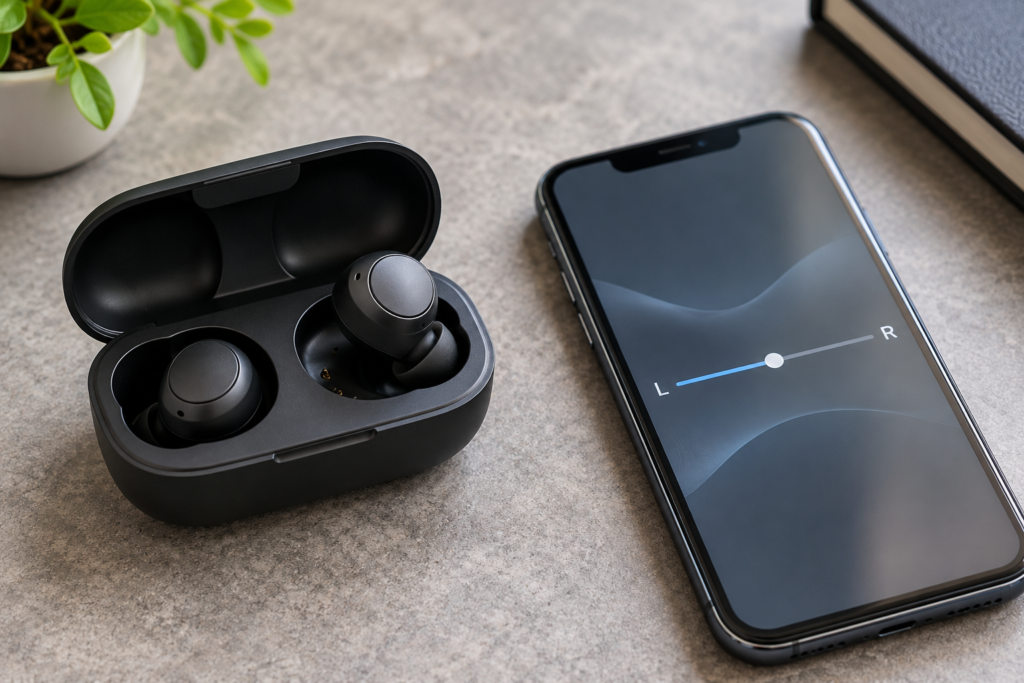
One wireless earbud goes silent, but the other plays normally. You put both back in the case, take them out again, and the same side is still missing. That does not automatically mean the silent earbud is broken. The first question is whether it is receiving power, connecting to your phone, and getting the correct audio channel.
This guide works as a troubleshooting path for AirPods, Samsung Galaxy Buds, and many other true-wireless earbuds. The exact controls differ by model, so start with the simple tests before changing settings or performing a factory reset. Keep the volume comfortable throughout.
First, identify what “not working” actually means
Use the same short podcast or spoken recording for each comparison. Avoid a song with dramatic stereo effects, where an instrument might naturally play mostly on one side.
- Completely silent: The earbud makes no playback sound, even when worn by itself. Start with charging and connection checks.
- Much quieter than the other: Check audio balance, ear-tip fit, and visible speaker-mesh blockage before assuming a failed driver.
- Works alone but not as a pair: The earbuds may need to reconnect or synchronize with each other.
- Works in one app but not another: Compare the app’s output selection and the phone’s audio routing. A single-earbud hardware failure is less likely.
- Only fails during calls: Call routing or microphone selection may be involved; playback and microphone behavior are separate tests.
Write down which side is affected and whether the problem changes between music, videos, and calls. That observation is more useful than immediately resetting everything.
Step 1: Make sure the silent earbud is actually charging
True-wireless earbuds rely on small contacts inside the case. If one earbud is not seated correctly, the case can charge the other side while the problem side stays empty. A phone may still show the pair as connected, which makes the issue look like a sound failure.
- Charge the case using the manufacturer-approved cable and power source.
- Remove both earbuds. Check the ear tips and case wells for lint or a tip that prevents an earbud from sitting flat.
- Put each earbud in its matching slot and make sure it sits naturally; do not force it down.
- Leave both in the case for at least several minutes. For AirPods, Apple specifically suggests an initial 30-second case charge and checking each AirPod’s battery status on the iPhone or iPad.
- Open the companion app or battery display, if available, and look for separate left and right charge readings.
What the result tells you: If the quiet side reports no battery level, remains at zero, or never wakes up, focus on the case contacts, seating, and charging. If both sides report normal charge but one is silent, continue to the audio tests. Battery displays are not equally detailed on every brand.
If you see corrosion, swelling, damaged contacts, unusual heat, or evidence of liquid inside the case, stop charging and seek the manufacturer’s service advice. Do not scrape contacts with metal tools or pour cleaning fluid into the case.
Step 2: Test each earbud separately
Put the working earbud in its case and close the lid. Wear only the problem earbud, reconnect if necessary, and play a familiar spoken recording at low volume. Then reverse the test. Some models pause playback when an earbud is removed, so you may need to resume it manually.
On AirPods, this closely follows Apple’s one-AirPod troubleshooting procedure: charge both, check each battery, test the problem AirPod by itself, and only then consider a reset.
What the result tells you: If each earbud plays by itself but one stops when both are worn, suspect a pairing, wear-detection, or synchronization problem. If the same physical earbud is silent every time, even alone, focus on its charge, output, and hardware condition. If the sound follows an app rather than an earbud, investigate the app instead.
Step 3: Check left-right balance and mono audio
A balance setting pushed toward one side can make the opposite earbud seem defective. A stereo recording can also make one channel seem unusually quiet. These are easy possibilities to rule out without changing the earbuds.
On iPhone or iPad
Open Settings → Accessibility → Audio & Visual. Set the left-right Balance slider to the center. You can temporarily enable Mono Audio, which combines left and right program content, to compare both earbuds with the same material. Restore your preferred setting afterward. Apple’s iPhone audio settings guide explains both controls.
On Samsung Galaxy phones and Galaxy Buds
Look for the phone’s hearing-enhancement or left-right sound-balance settings, and check the Galaxy Wearable app for earbud-specific accessibility options when supported. Menu names and availability differ across One UI versions and Buds models. Samsung notes that some models do not support the same balance controls and that certain balance settings do not apply during calls.
On other Android phones
Search Settings for audio balance, hearing, or mono audio. Some phones place these options under Accessibility; others provide additional headphone settings. If the option is absent, skip it rather than installing a random equalizer app.
For a basic channel comparison, the DryPhoneSpeakers Speaker Sound Test offers left and right playback controls. Confirm your browser is actually sending audio to the earbuds, start quietly, and remember that browser output can be affected by phone routing or accessibility settings. It is a listening comparison, not a hardware diagnostic.
What the result tells you: If centering the balance restores the silent side, the earbuds were probably not the cause. If mono audio makes the sides sound more even, your test material or channel settings may explain the difference. If the same earbud remains completely silent, move on.
Step 4: Check for blocked mesh or a poor seal
If one side plays but sounds distant, thin, or much quieter, look at its speaker opening under good light. Earwax, dust, and a damaged or loose silicone tip can change the sound before it reaches your ear. Compare both earbuds visually; do not insert anything into the mesh.
Follow your model’s cleaning instructions. For AirPods, our AirPods cleaning guide explains gentle surface cleaning and which parts can be removed. Avoid pins, compressed air, aggressive brushing, or liquid in the speaker opening. Never try a phone speaker water-ejection tone as a repair method for earbuds.
What the result tells you: If sound improves after safe surface cleaning or changing a removable tip, an acoustic blockage or fit problem was plausible. If the earbud remains completely silent, dirt alone is not a reliable explanation.
Step 5: Restart the earbuds and reconnect Bluetooth
Before a factory reset, try the less disruptive option. Put both earbuds into their case, close the lid, wait briefly, then reopen it and reconnect. On many Galaxy Buds models, Samsung recommends leaving the earbuds in the case for at least seven seconds as a restart. Check your model’s instructions rather than assuming all earbuds use the same button sequence.
Next, check that your phone is connected to the intended pair. If a laptop, tablet, watch, or second phone is nearby, temporarily disconnect the earbuds from those devices. Some earbuds can switch connections automatically. Play the same recording again.
What the result tells you: If both sides return after the case restart, the problem may have been temporary synchronization. If the phone repeatedly connects to the wrong device, the issue is audio routing rather than a failed earbud. If one side stays silent on every connection, continue.
Step 6: Try another device, then consider a reset
When possible, pair the earbuds with a different compatible phone or tablet. Repeat the separate-earbud test using the same type of spoken recording. This is one of the clearest ways to separate a phone-specific setting from a problem in the earbuds.
- Both earbuds work on the second device: Recheck the original phone’s Bluetooth connection, balance, accessibility, and app settings.
- The same side fails on both devices: The earbud, its battery, charging contacts, or pairing state is more suspect.
- Both work individually but not together on either device: Look up your model’s instructions for synchronizing the two earbuds before seeking service.
Only after these checks should you consider a factory reset. Resetting may erase saved connections, settings, and customizations, and the procedure varies by model. Samsung’s current Galaxy Buds reset instructions distinguish newer One UI settings from older Galaxy Wearable menus and recommend adequate battery charge before resetting. For AirPods, follow the reset steps linked from Apple’s support page for your exact generation. Afterward, pair again and retest.
When should you stop troubleshooting and seek repair?
Contact the manufacturer or an authorized service provider if the same earbud remains silent after charging, separate-side testing, checking balance, and reconnecting on a second device. The same applies if one earbud never shows a charge level, the case cannot charge it, or you find physical damage or moisture-related symptoms.
Do not keep turning the volume up to compensate for a quiet side. That can make the functioning earbud uncomfortably loud without fixing the problem. Do not open sealed earbuds, heat them, or attempt to revive a damaged battery.
Questions worth answering before replacing one earbud
Why does only one earbud work when both are charged?
Battery level is only one part of the connection. Left-right balance, pairing synchronization, wear detection, and a blocked speaker opening can all affect what you hear. Test the problem earbud alone and on another device before deciding it has failed.
Can I use one earbud while the other is in the case?
Many modern true-wireless models support single-earbud listening, but behavior varies by brand, generation, and app. If playback pauses when you remove one earbud, try resuming it manually. Check the product manual if your model will not connect with one side stored.
Will a factory reset repair a dead earbud?
A reset may clear a connection or synchronization fault. It cannot repair a dead battery, damaged speaker, corrosion, or broken charging contacts. Treat it as a software troubleshooting step, not a guaranteed repair.
The simplest way to decide what to do next
Start with power, then isolate each earbud, check the phone’s balance, and compare the pair on another device. If the problem disappears after one of those steps, you have a useful explanation without replacing anything. If the same side remains silent across devices after safe checks, ask about service or replacement options for your specific model.